Why Your iPhone Battery Drains Fast: How to Know When Replacement Is Needed
Fast battery drain can come from battery wear, iOS settings, charging faults, or deeper board-level issues. This guide explains how to tell the difference before booking repair.
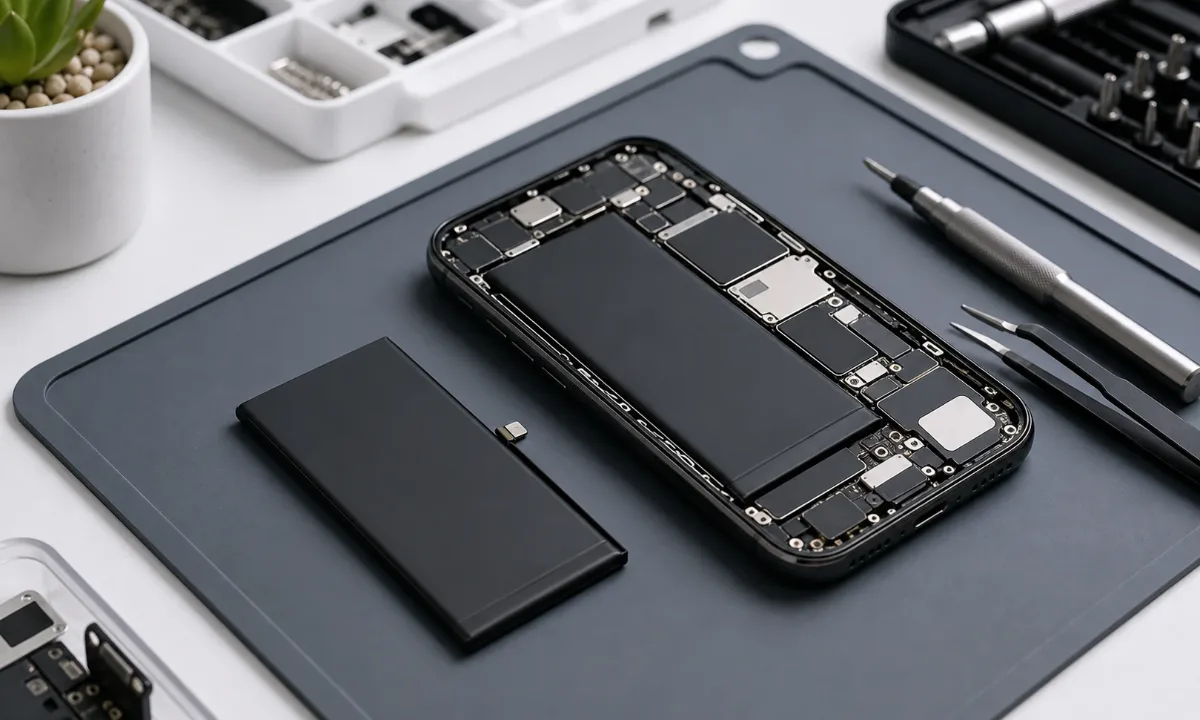
A fast-draining iPhone is one of the most common reasons people contact a repair service. The problem is also one of the easiest to misread. A weak battery is common, but not every phone that loses charge quickly needs a new battery immediately. Sometimes the cause is software, poor signal, a charging accessory, dirt in the port, water exposure, or a board-level fault that only looks like a battery issue from the outside. For EPPY, the right first step is not to guess.
The right first step is to compare symptoms, battery health, charging behavior, and usage pattern. If the signs point to wear, a battery replacement with an original-grade part or a copy battery option can restore normal use. If the signs point elsewhere, iPhone diagnostics prevents replacing a good battery and missing the real fault.
The clearest signs of battery wear
The most reliable sign is not only that the phone drains quickly. A worn battery usually creates a pattern. The iPhone may fall from 30 percent to 10 percent unusually fast, shut down while still showing charge, become slow under load, or need charging several times during a normal day. In Settings, Battery Health may show reduced maximum capacity or a service message. If maximum capacity is below 80 percent, replacement is usually worth considering. Another sign is heat during ordinary tasks.
A tired battery has higher internal resistance, so the phone can feel warm while using navigation, camera, calls, video, or mobile data. Heat also accelerates further battery aging, so ignoring the problem often makes it worse. A third sign is unstable charging. If the phone reaches a certain percentage and then stops, jumps, or drops immediately after disconnecting the cable, the battery may no longer hold voltage reliably. But this symptom overlaps with charging-port faults, so it should not be judged alone.
When the battery is probably not the only issue
Some phones look like they need a battery, but the root cause is different. If the cable must be held at an angle, charging starts and stops, or the phone does not react to known-good chargers, the charging port should be checked. Dust, oxidation, mechanical wear, or previous liquid exposure can interrupt charging and make the phone appear to drain fast because it never charges properly. If the iPhone becomes hot even while idle, loses charge overnight in airplane mode, or restarts during light use, diagnostics becomes more important.
These symptoms may point to a shorted component, board-level power leakage, or damage after moisture. In that case, replacing the battery alone may give temporary improvement or no improvement at all. Software can also create false battery symptoms. After a major iOS update, the phone can reindex photos, messages, and app data for a day or two. Poor mobile signal can drain the battery because the modem works harder. Background activity from navigation, cloud sync, video apps, messengers, and VPN tools can also consume power.
Before repair, it is worth checking Battery usage by app and screen-on time.
Original or copy battery: how to choose
The best choice depends on the device, budget, and expected use. Original-grade replacement is the better route when the phone is a main work device, when stable performance matters, or when the model is newer. It usually gives better consistency, safer long-term behavior, and fewer surprises after calibration. A copy battery can make sense for an older iPhone, a secondary device, or a repair where the budget is the main limit. The important part is honesty: the customer should understand the difference before approving the job. On EPPY pages we separate original battery replacement and copy battery replacement so the price and expectation are clear.
Why diagnostics is worth it
Diagnostics is useful when symptoms overlap. A technician can check charging current, battery behavior under load, port condition, signs of liquid exposure, and the history of previous repair. This helps answer a simple question: will a battery replacement actually solve the complaint? For many customers, diagnostics is not an extra step but a way to avoid paying twice. If the problem is only battery wear, the repair is straightforward. If the problem is charging, software, or power circuitry, the repair path changes. You can start from the iPhone diagnostics page when the symptoms are unclear.
When to replace without waiting
Do not wait if the phone shuts down unexpectedly, battery health is very low, charging is unreliable before a trip, or the device is used for work, navigation, payments, or two-factor authentication. A weak battery often fails at the worst time: outside, during calls, while using the camera, or when mobile signal is poor. You should also act quickly if the phone was exposed to water. Battery drain after moisture can be a warning sign of corrosion or leakage on the board. In this case, avoid repeated charging attempts and arrange diagnostics first.
Cost and service area
If you want to reduce future battery wear, also read our guide on how to extend iPhone battery life. It covers charging habits, heat, background activity, and practical settings.
What to check before booking repair
Before sending the phone in, a few checks can make the conversation clearer. Start with Battery usage for the last 24 hours and 10 days. If one navigation, video, messaging, cloud, or VPN app dominates the list, the cause may be settings or background activity. If usage looks normal but the phone still loses charge quickly, the case is more likely to be hardware-related. Then test charging with a known-good cable and adapter. Do not only look for the charging icon. Watch whether the percentage rises steadily.
If the cable must be angled, charging stops and starts, or the phone heats near the connector, the port should be inspected before approving a battery. Fast drain and poor charging often appear together, and the repair depends on which symptom is primary. Timing also matters. If the issue began after an iOS update, a restore, or installing a new app, software may be involved. If it began after a drop, water exposure, screen repair, or housing damage, diagnostics is more important because the battery may be only the visible symptom.
What a correct repair flow looks like
A proper repair flow starts with symptoms, not with a part. The technician checks how quickly the phone drains, whether it shuts down, whether charging is stable, whether it heats at rest, and whether there was liquid or impact. Then they compare Battery Health, charging current, port condition, and behavior under load. Only after that does it make sense to choose battery replacement, port repair, software cleanup, or deeper board diagnostics.
When the battery is truly worn, replacement usually brings back predictable daily use: fewer sudden drops, less heat under normal load, and fewer unexpected shutdowns. But a new battery will not fix poor signal, a damaged port, aggressive apps, or moisture damage. That is why diagnosis before repair is not delay; it is the fastest way to choose the right repair once.
Bottom line
A fast-draining iPhone may need a battery replacement, but the best repair starts with the symptom pattern. If capacity is low and shutdowns are common, replacement is usually the right move. If charging is unstable, the phone heats while idle, or the issue appeared after liquid exposure, diagnostics should come first. That approach keeps the repair focused, avoids unnecessary parts, and gives the customer a clearer answer before work begins. For the next step, compare the price list with the relevant iPhone repair services. The repair path is straightforward: diagnose the fault, confirm the part level and test the device after repair.
Read next
Back to Blog
Why iPhone Gets Hot While Charging: What to Check Before Repair
A practical guide to iPhone heat during charging: charger, port, battery, software load and board-level warning signs.
How to Extend Your iPhone Battery Life
A practical guide to making an iPhone battery last longer, recognizing real wear and knowing when replacement or diagnostics makes more sense than another settings change.
iPhone Not Charging: Cable, Port, Battery or Board?
A practical guide to iPhone charging faults: cable checks, charging-port symptoms, battery signs, diagnostics and when board repair may be needed.