Why your smartphone slows down: 4 proven fixes
Most slowdowns are not random. Smartphones usually throttle for one of two reasons: heat or an aging battery. The good news is that these two cases behave differently, and in many situations you can reduce the slowdown quickly.
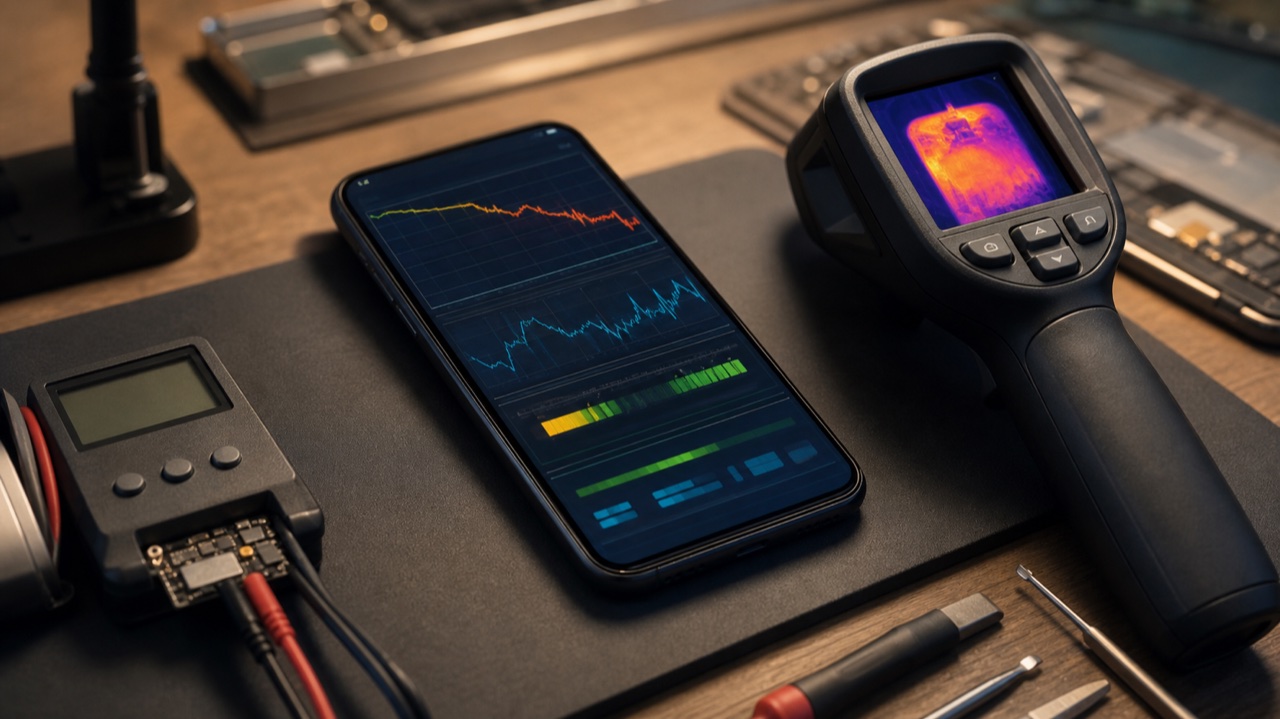
If a phone that used to feel fast suddenly starts lagging in games, video, navigation, or camera-heavy tasks, that does not always mean the device is simply old. In many cases it is throttling: a protection mechanism that temporarily reduces processor speed to control heat or to avoid unstable peak power draw from a worn battery.
Two kinds of throttling that look similar, but behave differently
| Type | How it usually feels | What triggers it | What helps most |
|---|---|---|---|
| Thermal throttling | The phone becomes hot, gaming frame rate drops, camera or navigation gets sluggish, then performance recovers after cooling | Long gaming sessions, 4K video, hot weather, charging while using the phone, poor airflow | Cooling the device, reducing load, updating software, avoiding direct sun |
| Battery throttling | The phone feels slow even when cool, stutters during everyday tasks, and may shut down at 20-40 percent battery | Battery aging, high cycle count, reduced peak power capability | Checking battery health and replacing a worn battery |
How to quickly tell which one you are dealing with
- If the slowdown appears mostly under heavy load and fades after 10 to 20 minutes of cooling, it is usually thermal throttling.
- If the phone is slow all the time, even while idle or cool, and random shutdowns started appearing, battery throttling is much more likely.
- If the body is only warm but not hot, yet performance has been permanently reduced for weeks, the battery is the first thing worth checking.
Step 1. Cool the phone down the right way
This is the fastest win when the slowdown is thermal. Remove a thick case during long gaming or charging sessions, pause the task for a few minutes, move the phone out of direct sunlight, and stop charging if the device is already hot. Samsung's support guidance around overheating follows this same logic: reduce load and let the device cool naturally.
- Do not leave the phone in a hot car or on a sunny dashboard.
- Do not keep recording video and fast-charging at the same time if the body is already hot.
- Do not put the phone into a refrigerator or freezer. Sudden condensation can create a completely different repair problem.
Step 2. Reduce background load before blaming the chipset
Sometimes the phone is not throttling because one app is huge, but because too many services are stacked together. A heavy game, cloud backup, camera processing, Bluetooth accessories, location services, dozens of browser tabs, and social apps refreshing in the background can combine into a constant workload.
- Close apps you are not actively using.
- Stop large downloads or cloud sync during gaming or filming.
- Check battery usage and app activity for a rogue app that suddenly started consuming abnormal resources.
Step 3. Update the system and apps
This sounds obvious, but it matters. Apple and Android manufacturers regularly tune thermal management, scheduling, charging behavior, and battery handling in software updates. A bad app build can also overwork the processor or heat the phone for no good reason. Updating both the operating system and the heavy apps you use most often is one of the simplest ways to remove avoidable slowdowns.
Step 4. Check battery health and replace a worn battery if needed
This is the only real fix when the slowdown is tied to battery aging rather than heat. Apple explicitly explains that an aged battery may no longer support peak performance capability, which is why iPhone can reduce performance to prevent unexpected shutdowns. The same logic applies more broadly to older Android phones as their batteries lose the ability to deliver stable bursts of power.
- On iPhone, check Battery Health and any warning about peak performance capability.
- On Android, look for battery diagnostics, unusual shutdowns, fast percentage drops, and heat during light use.
- If the battery is swollen, drains unusually fast, or the phone slows down even when cool, replacement is usually the turning point.
You cannot fully disable throttling without creating bigger risks. The realistic goal is not to fight the protection system, but to remove the condition that keeps activating it.
When a quick fix is no longer enough
- The phone overheats even during light tasks or while idle.
- It shuts down unexpectedly with plenty of battery left.
- The battery has started swelling or pushing on the screen.
- The device remains slow even after a reset, update, and cool-down.
- Charging became unstable at the same time as the slowdowns.
Editorial takeaway
If your smartphone has become slower, do not jump straight to the idea that the processor is dying. In practice, most cases come down to either heat or battery wear. Cool the device correctly, reduce unnecessary background load, update the software, and if the slowdown has become permanent, inspect the battery first. That sequence solves far more real-world cases than people expect.
Read next
Back to Blog
How to delete corrupted apps on iPhone: what actually works
A stuck iPhone app is usually caused by a failed install, low storage, or Screen Time restrictions. Here is the clean deletion sequence that actually works on modern iOS.

GTA 6 budget is staggering: it may already be bigger than Burj Khalifa
A new estimate based on Rockstar's public financial footprint suggests GTA VI may already sit above the 3 billion dollar mark, putting the game in the same scale conversation as global megaprojects.

A Wikipedia card game appeared online
Wikigacha transforms Wikipedia articles into collectible cards with rarity and combat stats, and the strange browser experiment has already been noticed by Wikipedia's official social account.